Linux vs Windows vs Mac: 7 reasons to switch, 3 to wait
Is Linux better than Windows and Mac? 7 real advantages, 3 honest drawbacks, and how to try Linux free without deleting anything.
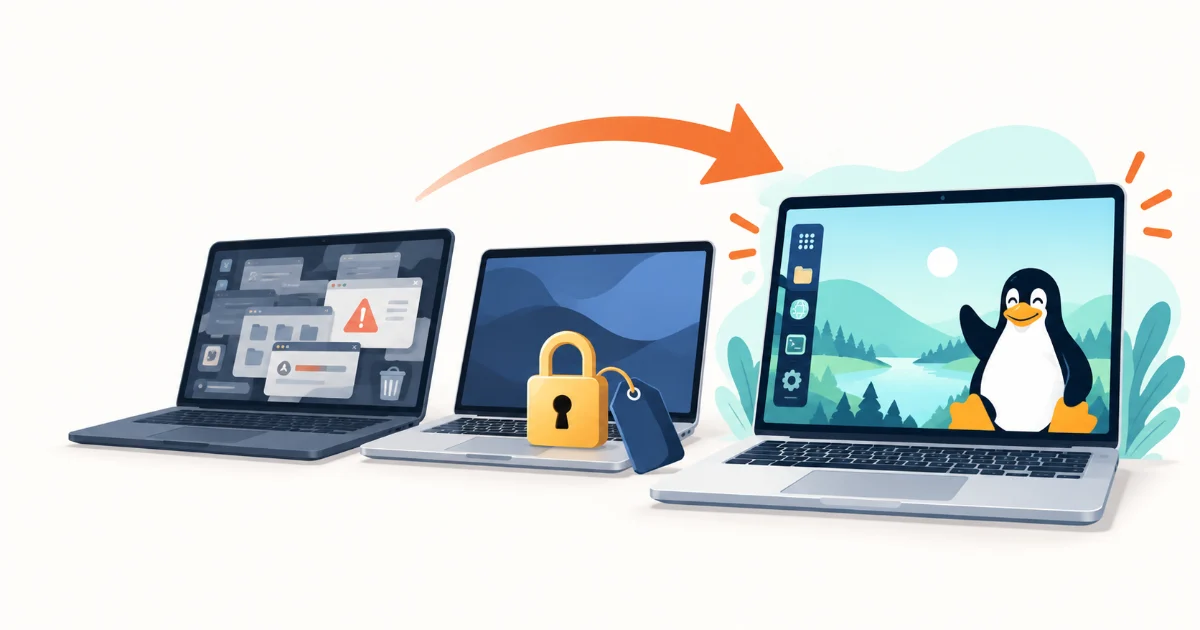
Linux vs Windows vs Mac comes down to this: Linux wins on cost, privacy, control, and keeping older computers useful, while Windows and macOS still win for Adobe apps, some multiplayer games, and plug-and-play accessories. If the programs you depend on run on Linux or in a browser, Linux is the better choice for most home users.
This guide started with Sam Tucker's tongue-in-cheek video Why Linux Is Simply Better Than Windows & Mac, which roasts all three systems. We checked the jokes against the facts: here are the seven reasons Linux really is better, the three places it still isn't, and how to try it without deleting anything.
The short answer
Choose Linux if you want a free system that doesn't collect usage data by default, runs well on hardware Windows 11 rejects, and lets you change almost everything. Stay on Windows if you rely on Adobe Creative Cloud, desktop Microsoft Office, or competitive games with kernel-level anti-cheat. Choose a Mac if you want Apple's hardware and ecosystem and are happy to pay for it.
Linux vs Windows vs Mac: key differences
- Price: Linux distributions are free. Windows usually comes bundled with a PC or as a paid license. macOS is free but only runs on Apple computers.
- Privacy: Windows Home and Pro always send some diagnostic data to Microsoft. macOS and Linux leave more of it up to you.
- Hardware: Windows 11 needs TPM 2.0 and a recent processor. macOS needs a Mac. Linux runs on most PCs, including many that Windows 11 rejects.
- Apps: Windows has the widest commercial software support, macOS is strong for creative work, and Linux relies more on open-source and web apps.
- Gaming: Windows supports every PC game. Linux runs many Windows games through Steam's Proton, but not all of them.
- Control: Linux lets you choose the desktop, the apps, and even the update schedule. Windows and macOS decide more for you.
1. Linux is free, and so is every upgrade
Distributions such as Linux Mint, Ubuntu, and Fedora cost nothing to download, install, or upgrade, on as many computers as you like. There is no license key and no subscription.
The video's joke that macOS is only free if you buy expensive aluminium to run it on is fair: macOS is only licensed for Apple hardware. On Linux you choose the computer, including one you already own.
2. You control what data leaves your computer
On Windows 11 Home and Pro, the lowest setting is "Required diagnostic data". According to Microsoft's own documentation, turning diagnostic data off completely is only possible on the Enterprise, Education, and Server editions.
Linux distributions have no equivalent always-on data pipeline that you cannot switch off. Because the code is open, anything that connects to the internet can be inspected, configured, or removed, which is why privacy-focused projects build on Linux. See our list of Linux distros for privacy and security.
3. AI features stay optional
The video jokes that Windows ships "spyware" and that Apple keeps your data private until it sends it to ChatGPT. The reality is more nuanced. Microsoft's Recall feature, which saves snapshots of your screen, runs only on Copilot+ PCs and is off until you opt in. Apple's ChatGPT extension on the Mac asks before sending requests, and you can change that setting.
The difference is that AI is built into both systems and switched on through settings and prompts, while beginner distributions such as Linux Mint don't include an AI assistant at all. If you want one, you install it yourself.
4. It gives older computers years of extra life
Windows 11 requires TPM 2.0, Secure Boot, and a processor on Microsoft's approved list, which rules out many PCs that run perfectly well. Windows 10 support ended on October 14, 2025, and paid Extended Security Updates stop on October 12, 2027.
Linux has no such checks. A beginner-friendly distribution such as Linux Mint 22.3, supported until April 30, 2029, runs comfortably on most PCs from the Windows 10 era. For very old or low-memory machines, see our lightweight Linux distros for old laptops. If you are leaving Windows 10, our Windows 10 to Linux guide walks you through the options.
5. No bloatware, and you choose what you get
A fresh Linux install contains a desktop, a browser, an office suite, and a software manager. There are no trial antivirus programs, games you didn't ask for, or advertising tiles in the start menu. The video's joke that you can strip Linux down until it is only text is true, but you never have to.
Choice goes further than apps. You can pick a layout that feels like home: Linux distros that look like Windows put a taskbar and start menu where you expect them, and there are macOS-style options too.
6. It is safer by design, not just by obscurity
The video says hackers ignore Linux because so few people use it. There is some truth to that: Linux accounted for between roughly 3.5% and 9% of desktop web traffic each month in 2026, according to StatCounter, so it is a smaller target than Windows.
Market share isn't the whole story, though. On Linux, software comes mainly from your distribution's signed repositories rather than random download sites, programs don't run with administrator rights unless you enter your password, and security updates for the whole system (not just the OS) arrive through one updater. Linux is not immune to malware or phishing, so keep it updated and be careful what you run.
7. You can try it before you commit
Every mainstream distribution can run from a USB stick in "live" mode, without touching your hard drive. You can test Wi-Fi, sound, graphics, and your favorite websites, then decide. The Linux Mint installation guide covers creating the USB stick and booting from it. Our checklist of 7 things to test before installing Linux tells you what to look for.
Where Windows and Mac still win
Linux isn't the right answer for everyone yet. These three limits are real:
- Professional software: Adobe Creative Cloud and the desktop version of Microsoft Office don't run on Linux. Alternatives such as LibreOffice, GIMP, Krita, and DaVinci Resolve cover many needs, and Office on the web works in any browser, but a professional workflow built on Adobe is easier on Windows or macOS.
- Some multiplayer games: Steam's Proton runs a huge number of Windows games, and ProtonDB shows how well each one works. Games with kernel-level anti-cheat often refuse to start. Check Are We Anti-Cheat Yet before switching if you play online shooters.
- Accessories and vendor apps: device makers often ship configuration tools only for Windows and macOS. The video's joke about editing text files to change mouse settings is out of date, because community apps such as Solaar for Logitech devices and Piper for gaming mice add graphical settings. It is still worth checking your specific hardware first.
Which Linux should you try first?
Start with a distribution built for newcomers:
- Linux Mint: the most familiar choice for Windows users, with graphical tools for updates and software. Current version: Linux Mint 22.3.
- Ubuntu: the most widely supported desktop Linux, with long support windows. Ubuntu 26.04 LTS is supported until May 29, 2031.
- Fedora Workstation: newer software and a polished GNOME desktop, with shorter release cycles. See Fedora 44 support dates.
- Zorin OS: designed to feel like Windows or macOS out of the box. Compare it in Linux Mint vs Zorin OS.
Still undecided? Read Linux Mint vs Ubuntu, browse the best Linux distros for beginners, or answer five questions in the distro finder. The distro.watch rankings show which distributions people are reading about right now.
How to switch without losing anything
- Step 1: Back up your documents, photos, and browser passwords to an external drive or cloud storage.
- Step 2: Check that the apps you rely on have Linux, web, or alternative versions.
- Step 3: Write your chosen distribution to a USB stick of 8 GB or more, and boot it in live mode to test your hardware.
- Step 4: Install Linux alongside Windows (dual boot) if you want a safety net, or replace Windows completely.
- Step 5: Run the update manager, install any offered drivers, and add your apps from the software manager.
Is Linux really free?
Yes. The distributions recommended here are free to download, install, update, and use on any number of computers. Some companies sell optional support contracts or hardware with Linux preinstalled, but home users never have to pay.
Do I need to use the terminal on Linux?
Not for everyday use. Beginner-friendly distributions such as Linux Mint and Ubuntu install software, apply updates, and change settings through graphical apps, much like Windows. The terminal, the "sixth circle of hell" in the video, is optional, although many users come to like it for quick tasks.
Can Linux run Windows programs?
Some of them. Many popular programs have native Linux versions, many more work in the browser, and compatibility layers such as Wine and Steam's Proton run a large share of Windows software and games. Adobe Creative Cloud and games with kernel-level anti-cheat are the most common exceptions.
Is Linux safer than Windows?
For home users, generally yes: software comes from signed repositories, apps need your password for system changes, and there are fewer threats aimed at desktop Linux. It is not invulnerable, so install updates promptly and avoid running scripts or programs from sources you don't trust.
Sources
- SAMTIME (Sam Tucker): Why Linux Is Simply Better Than Windows & Mac (YouTube)
- Microsoft: Configure Windows diagnostic data
- Microsoft: Recall on Copilot+ PCs
- Apple: Use ChatGPT with Apple Intelligence on Mac
- Microsoft: Windows 11 system requirements
- Microsoft: Windows 10 Extended Security Updates
- StatCounter: Desktop operating system market share worldwide
- endoflife.date: Linux Mint, Ubuntu, and Fedora support dates