LightCraft on Linux: a free Lightroom alternative for raw photos
Yes, LightCraft runs natively on Linux, with an AppImage, Flatpak bundle, .deb and .rpm for x86_64 and ARM64. It is a free, open-source (MIT or Apache-2.0) photo library and raw developer that copies Adobe Lightroom: non-destructive Light, Color and Effects panels, masks, presets and a catalog, with no account or cloud. The project rates it about 60–70% of a day-to-day Lightroom replacement: good for JPEG, DNG and most Nikon, Sony and older Canon raws, but Canon CR3 opens only as a preview.
From the project’s status (October 2026): about 79% of Lightroom’s features by count (98% of the core), and “nearer 60–70%” as a day-to-day replacement (roadmap).
How to install LightCraft on Linux
Commands for LightCraft 0.4.0, the latest release when this page was built. Download only from the official GitHub releases of storytold/lightcraft or the LightCraft page on getartcraft.com. File names change with each version.
Ubuntu, Debian, Linux Mint, Pop!_OS
Download lightcraft-0.4.0-linux-x86_64.deb (or the aarch64 one on ARM) from the latest release, then in your Downloads folder:
sudo apt install ./lightcraft-0.4.0-linux-x86_64.debFedora, RHEL, openSUSE
Download lightcraft-0.4.0-linux-x86_64.rpm, then:
sudo dnf install ./lightcraft-0.4.0-linux-x86_64.rpmOn openSUSE: sudo zypper install ./lightcraft-0.4.0-linux-x86_64.rpm
Any distro: AppImage
No install needed. Download, make it executable and run it:
wget https://github.com/storytold/lightcraft/releases/download/v0.4.0/lightcraft-0.4.0-linux-x86_64.AppImagechmod +x lightcraft-0.4.0-linux-x86_64.AppImage && ./lightcraft-0.4.0-linux-x86_64.AppImageFlatpak bundle
Needs Flatpak with Flathub set up for the runtime. Then:
flatpak install --user lightcraft-0.4.0-linux-x86_64.flatpakflatpak run ai.storyteller.lightcraftCheck the download
Every release lists a checksum for each file in SHA256SUMS.txt. Download it next to your file and run:
sha256sum -c SHA256SUMS.txt --ignore-missingIt should print OK for the file you downloaded.
These are the standard commands for each package type, with file names taken from the project’s release workflow. We have not run them on every distro. Newer releases replace older ones when installed the same way; the AppImage can also update itself with AppImageUpdate.
LightCraft screenshots: what it looks like
Official screenshots from the LightCraft repository, made by the app itself on public-domain artwork and footage. Select one to open it full size.
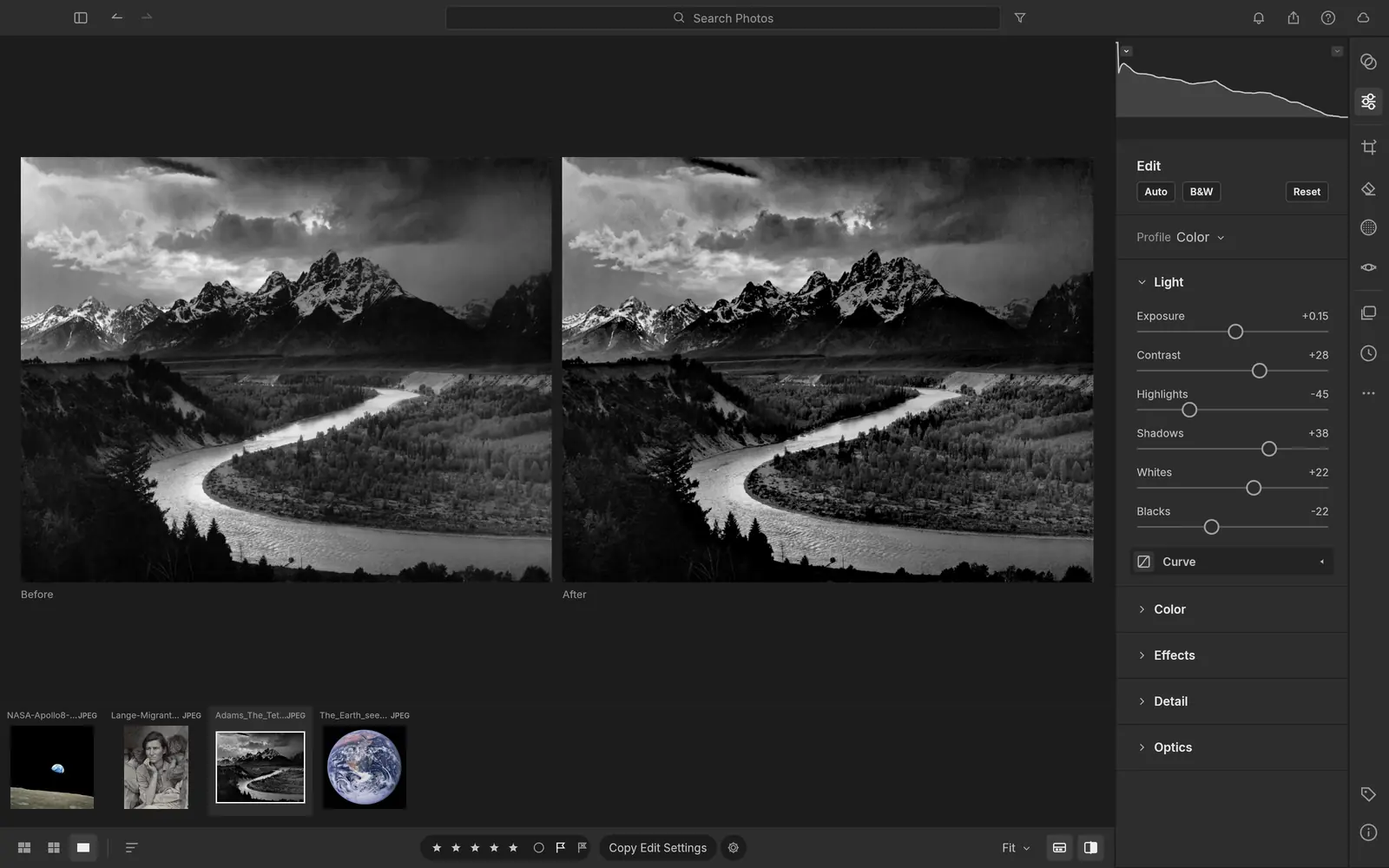
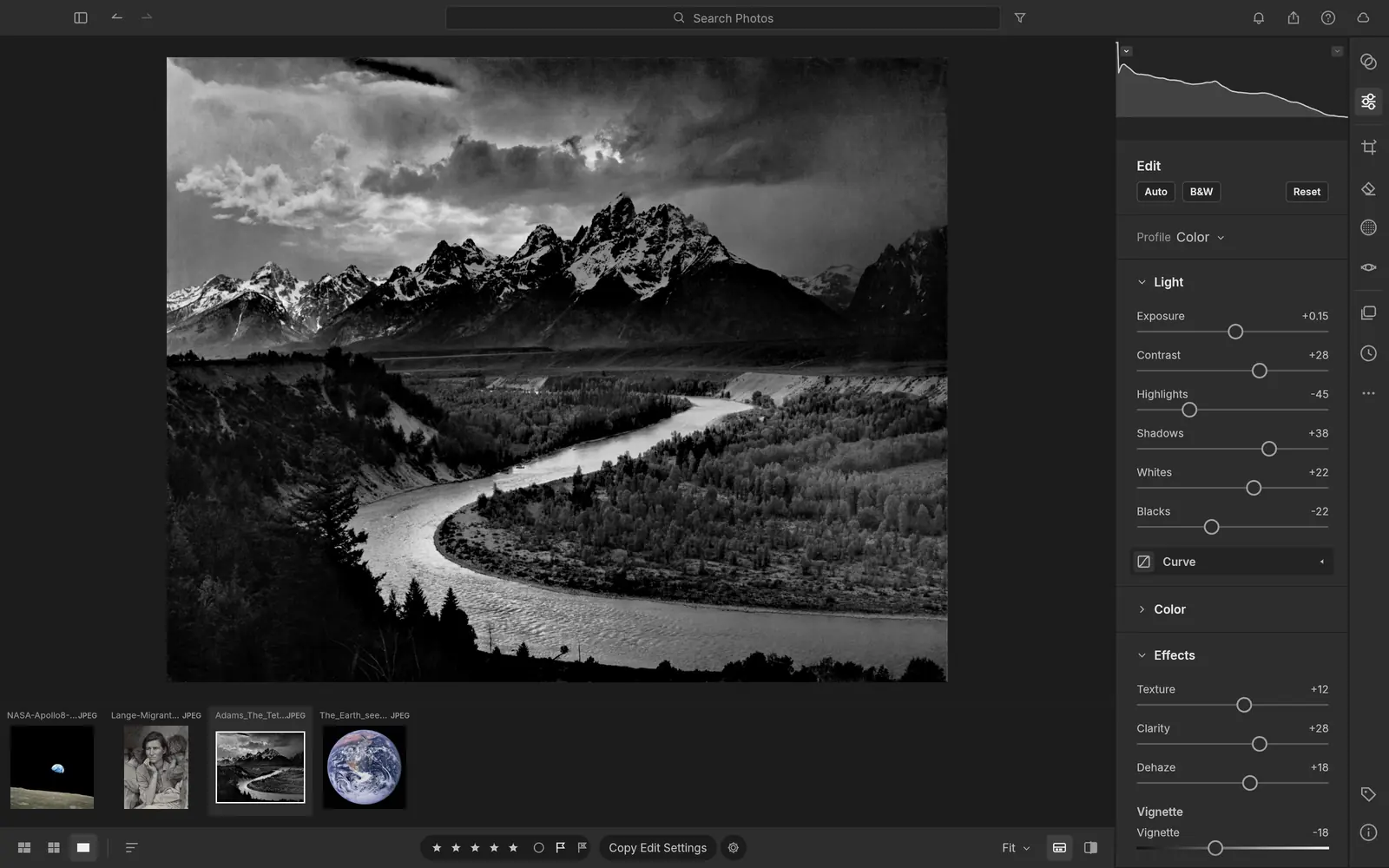
Light, Color and Effects
Exposure, contrast, highlights and shadows with edge-aware local tone mapping, white balance, vibrance, an 8-band Color Mixer, Texture, Clarity, Dehaze and Grain, in a 32-bit float, wide-gamut pipeline.
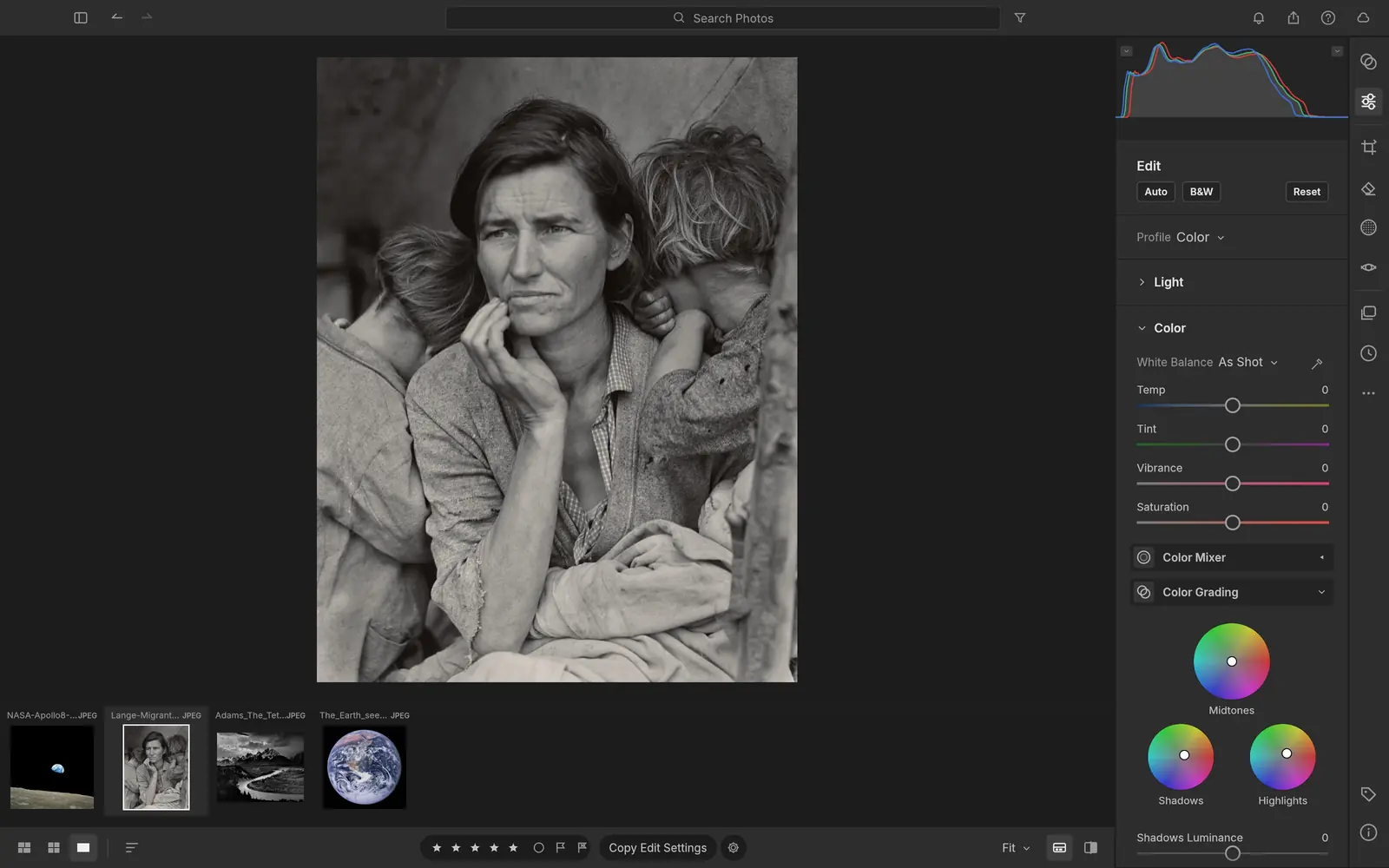
Colour grading wheels
Shadows, midtones and highlights wheels with blending and balance, and one-key black and white with an 8-band B&W mix.
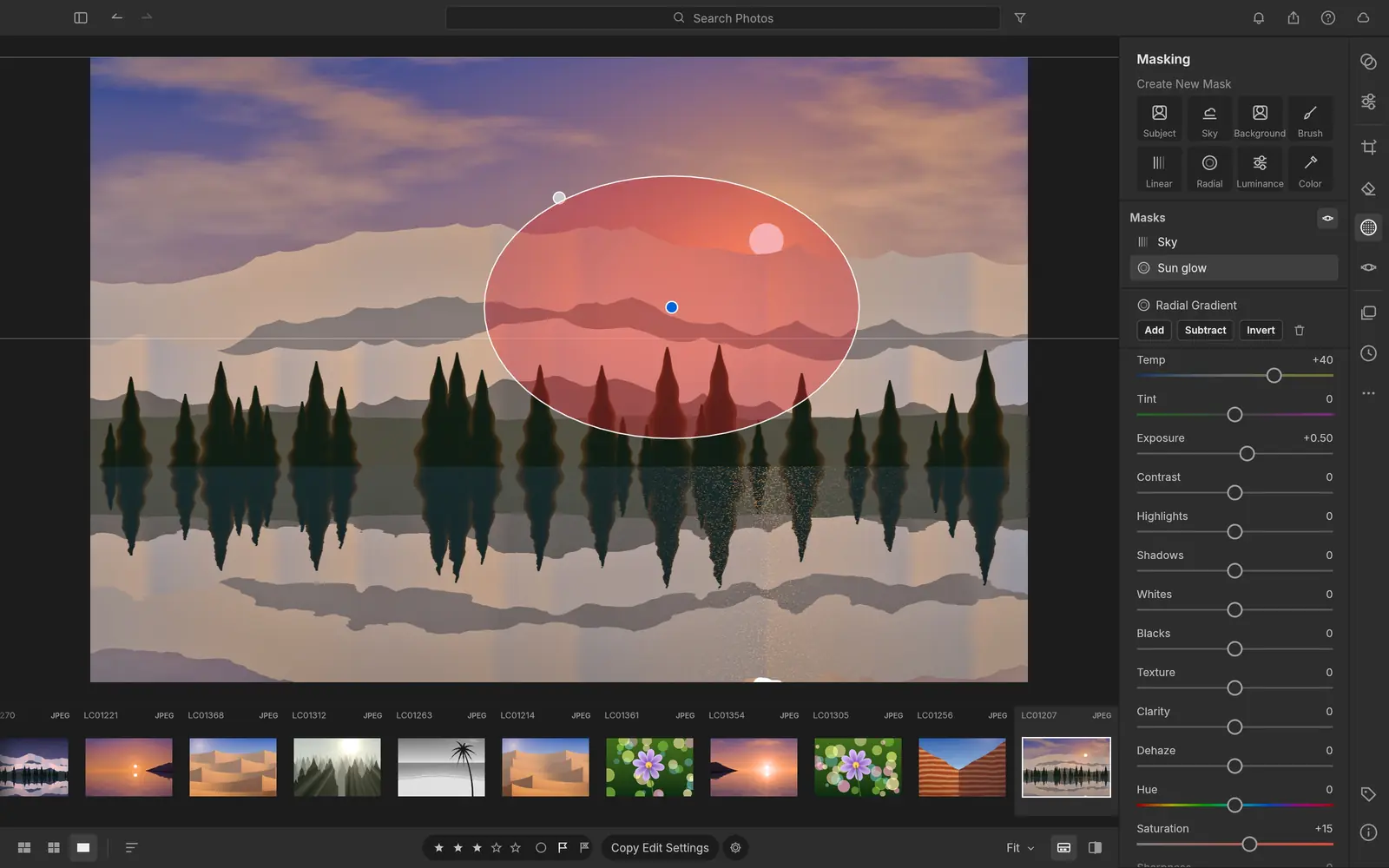
Masking
Brush, linear and radial gradients, luminance and colour range, plus Sky, Subject and Background selections. Those three use classical heuristics today, not AI models.
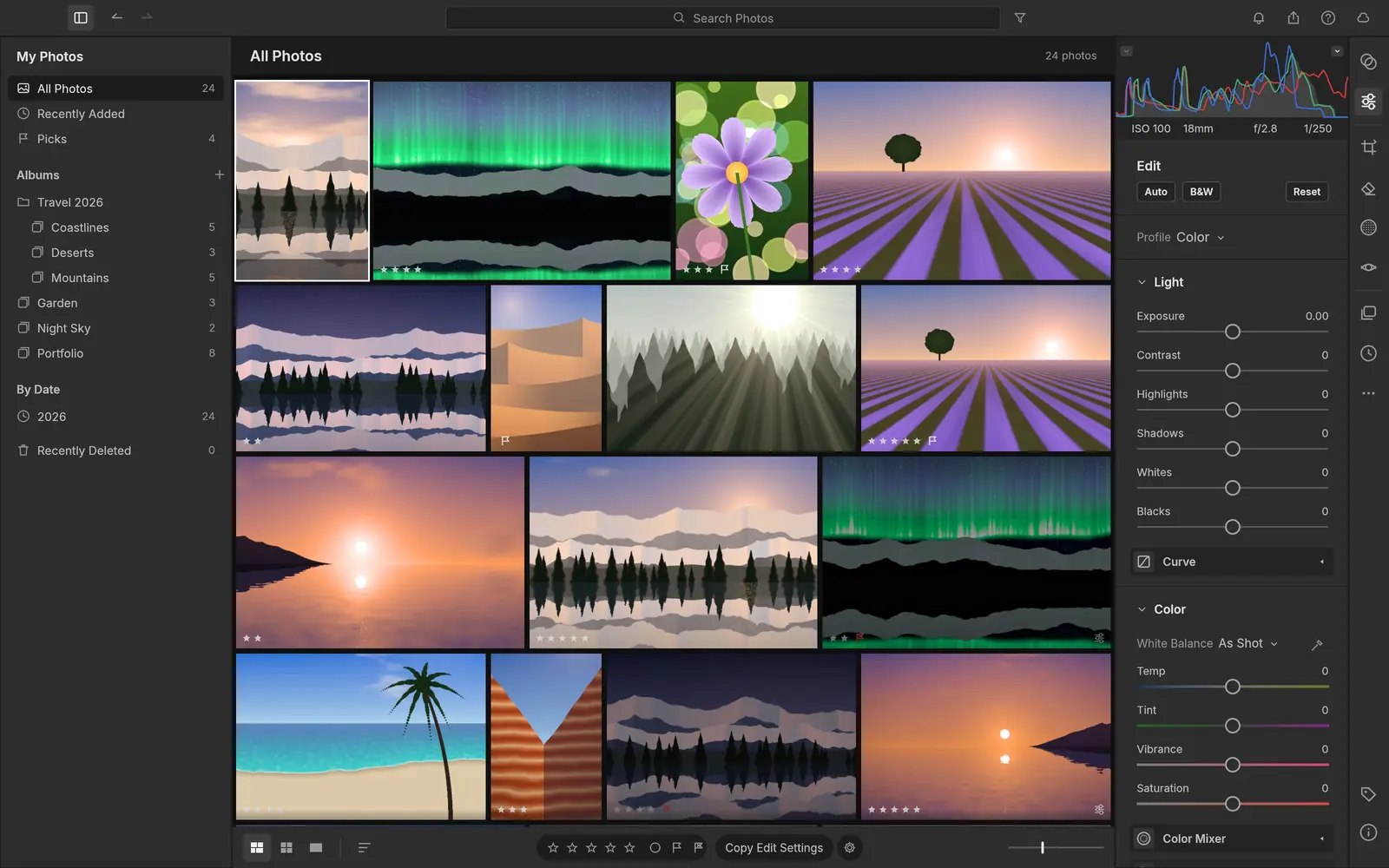
A library that scales
Albums, folders, smart albums, stacks, ratings, flags and colour labels, with field search such as rating:>3 iso:>800. The catalog is a human-readable log you can back up or diff.
Screenshots: LightCraft project, MIT or Apache-2.0. Feature descriptions are the project’s claims; we have not tested them.
LightCraft Linux support at a glance
Checked on Oct 8, 2026 against LightCraft 0.4.0: its release workflow, Linux packaging, documentation and roadmap.
| Linux system or feature | Status | Details |
|---|---|---|
| Ubuntu, Debian, Linux Mint, Pop!_OS | Yes: Official .deb | For x86_64 and ARM64, built on Ubuntu 22.04 by the project’s release workflow, so it needs glibc 2.35 or newer: Ubuntu 22.04+, Debian 12+, Linux Mint 21+. |
| Fedora, RHEL, openSUSE | Yes: Official .rpm | For x86_64 and ARM64. The workflow names Fedora 36+ and RHEL 10 as the oldest it targets; openSUSE is listed in the README’s download table. |
| Arch, Manjaro, CachyOS and any other distro | Yes: AppImage or tarball | The AppImage runs without installing and can update itself through AppImageUpdate (each release ships .zsync files). A plain .tar.gz is there too. No official Arch package. |
| Flatpak | Partly: Bundle, not on Flathub | Each release has a downloadable .flatpak bundle (ai.storyteller.lightcraft) that pulls the org.freedesktop.Platform//25.08 runtime from Flathub. The app itself is not listed on Flathub, so it will not appear in GNOME Software or Discover searches yet. |
| Bazzite, Fedora Silverblue, SteamOS | Yes: AppImage or Flatpak | Both work on immutable systems without layering packages. This is our reading of the formats, not something we tested. |
| ARM64 Linux | Yes: aarch64 builds | Every Linux format also comes as an aarch64 build, built on GitHub’s Ubuntu 22.04 ARM runners. Not verified by us on a Raspberry Pi or Asahi Linux. |
| Dropping files on the window (Wayland) | No: Not on Wayland | The apps use eframe 0.36, whose windowing library (winit 0.30) has no Wayland drag and drop (winit #1881). Use File › Open, or start the app under XWayland: WAYLAND_DISPLAY= lightcraft. |
| Older distros (Ubuntu 20.04, Debian 11, CentOS 7) | No: Too old | Their glibc is older than 2.35, so the native packages will not start. The project also publishes a browser (WebAssembly) build you can host yourself. |
| GPU processing | Yes: Vulkan, CPU fallback | The develop pipeline runs as wgpu compute kernels (Vulkan on Linux) and falls back to all CPU cores if the GPU is missing or fails. |
| Camera colour for non-DNG raws | Partly: Muted colour | Only DNG files use their own colour matrices. Sony ARW, Nikon NEF and Panasonic RW2 start from a look fitted to the camera’s JPEG; other raws use a neutral fallback, so colour can look flat. The project calls its own calibration its top priority. |
| Canon CR3, compressed Fujifilm and Olympus | No: Preview only | These open as their embedded preview, not as full raw data, for now. |
What works in LightCraft, and what is missing
Works today, per the project
- Non-destructive editing in a scene-referred, 32-bit float pipeline
- Its own raw decoders: DNG, CR2, ARW, NEF, RAF (incl. X-Trans), RW2, PEF, ORF
- Masks, presets with an Amount slider, profiles and copy/paste/sync of settings
- HDR and panorama merge to DNG, Upright and lens corrections
- XMP sidecars and Lightroom-style develop settings (crs:) read and written
- Local-first: no account, cloud or telemetry
Missing or unfinished
- Camera colour calibration for raws other than DNG
- Canon CR3 and compressed RAF/ORF decoding
- AI masks, AI Denoise and Super Resolution
- HDR editing, video, and the Print, Book and Map modules
File formats: Raw: DNG, Canon CR2, Sony ARW, Nikon NEF, Fujifilm RAF, Panasonic RW2 and Leica RWL, Pentax PEF and Olympus ORF (CR3 and compressed RAF/ORF as previews). Also JPEG, PNG, TIFF, WebP, JPEG XL and PSD composites. Exports JPEG, PNG, TIFF, WebP, AVIF and DNG.
LightCraft release history
LightCraft was first released on Oct 2, 2026 and has shipped a new version every day or two since. This chart updates when we refresh our release data.
Show the release dates as a table
| App | Releases, newest first |
|---|---|
| LightCraft | 0.4.0 (Oct 8, 2026) · 0.2.1 (Oct 6, 2026) · 0.2.0 (Oct 5, 2026) · 0.1.1 (Oct 3, 2026) · 0.1.0 (Oct 2, 2026) |
Latest LightCraft news
No news posts yet. We post here when a LightCraft release changes what Linux users get.
LightCraft vs the best Lightroom alternatives on Linux
| App | Best for | Maturity | License | On Linux |
|---|---|---|---|---|
| LightCraft | Lightroom users who want the same panels and catalog | Young, first released October 2, 2026 | Free, MIT or Apache-2.0 | AppImage, Flatpak bundle, .deb, .rpm |
| darktable | Mature raw development with camera-accurate colour | Mature, over 15 years | Free, GPL | Distro repositories and Flathub |
| RawTherapee | Detailed raw processing and demosaicing control | Mature | Free, GPL | Distro repositories, Flathub, AppImage |
Our view: LightCraft is the closest thing to Lightroom’s workflow on Linux, and it is already useful for JPEG and DNG shooters. If you shoot Canon CR3 or care about camera-accurate colour, darktable is still the better tool until LightCraft’s own calibration lands. This is an editorial judgment from the project’s code, documentation and issue reports, not from hands-on benchmarks.
The apps went viral in early October 2026, which attracts look-alike download sites. Check the checksum against SHA256SUMS.txt from the official release. An App Store app called “AI Art Generator: ArtCraft” is by a different developer and unrelated.
The other Crafting Apps on Linux


LightCraft on Linux: common questions
Does LightCraft work on Linux?
Yes. LightCraft publishes an AppImage, a Flatpak bundle, .deb and .rpm packages and a tarball for x86_64 and ARM64 Linux with every release.
Does LightCraft support my camera’s raw files?
It decodes DNG, Canon CR2, Sony ARW, Nikon NEF, Fujifilm RAF, Panasonic RW2, Pentax PEF and uncompressed Olympus ORF. Canon CR3 and compressed Fujifilm and Olympus raws open only as embedded previews for now.
Can LightCraft read my Lightroom edits?
It reads and writes XMP sidecars and reads Lightroom’s crs: develop settings, so edits saved to XMP can come across. Lightroom catalogs (.lrcat) are a different matter; the project does not list catalog import.
Is LightCraft better than darktable?
For Lightroom users it is more familiar, but darktable is far more mature and has accurate colour for most cameras. LightCraft’s own camera colour calibration is not finished.
Is LightCraft free?
Yes. It is open source under the MIT or Apache-2.0 license, with no account, cloud or subscription.
How we researched this page
- What we did. On Oct 8, 2026 we read LightCraft’s repository directly: the README, roadmap and honest-assessment documents, Linux packaging, the release workflow (to confirm which Linux files are built and for which glibc) and its Cargo manifest. Release dates come from the project’s git tags.
- What we did not do. We have not run LightCraft or benchmarked it, and we did not audit its code. Feature lists and readiness percentages are the developers’ own and are labelled that way.
- How fresh it is. LightCraft ships a new version every day or two. The release history refreshes with our data; the text was checked against 0.4.0.
- Independence. distro.watch is independent and has no relationship with ArtCraft, Storyteller or Adobe. This page has no affiliate links. See our editorial standards.
Running LightCraft on Linux? Send your distro, desktop (Wayland or X11), graphics card and what worked or broke, or a correction, to contact@distro.watch. Bugs belong in the LightCraft issue tracker.
What changed on this page
- Page published, checked against LightCraft 0.4.0: Linux packages and status, install commands, screenshots, what works and what is missing, comparison with established Linux apps, and release history.
Sources
- GitHub: storytold/lightcraft README and feature status
- LightCraft ROADMAP (where we stand)
- GitHub: LightCraft releases
- GitHub: LightCraft release workflow (Linux builds, glibc 2.35)
- getartcraft.com: LightCraft
distro.watch is independent and not affiliated with ArtCraft or Adobe. Lightroom is a trademark of Adobe Inc.; it is named only to describe the workflow LightCraft imitates.