PhotoCraft on Linux: the free, open-source Photoshop clone
Yes, PhotoCraft runs natively on Linux. It is a free, open-source (MIT or Apache-2.0) image editor from the ArtCraft team that copies Photoshop’s menus, shortcuts and panels and opens real PSD files. Every release ships an AppImage, a Flatpak bundle, .deb and .rpm packages for x86_64 and ARM64. It is also an early alpha, first released on October 1, 2026: by the project’s own estimate a professional could switch for daily work only about 25–35% of the time.
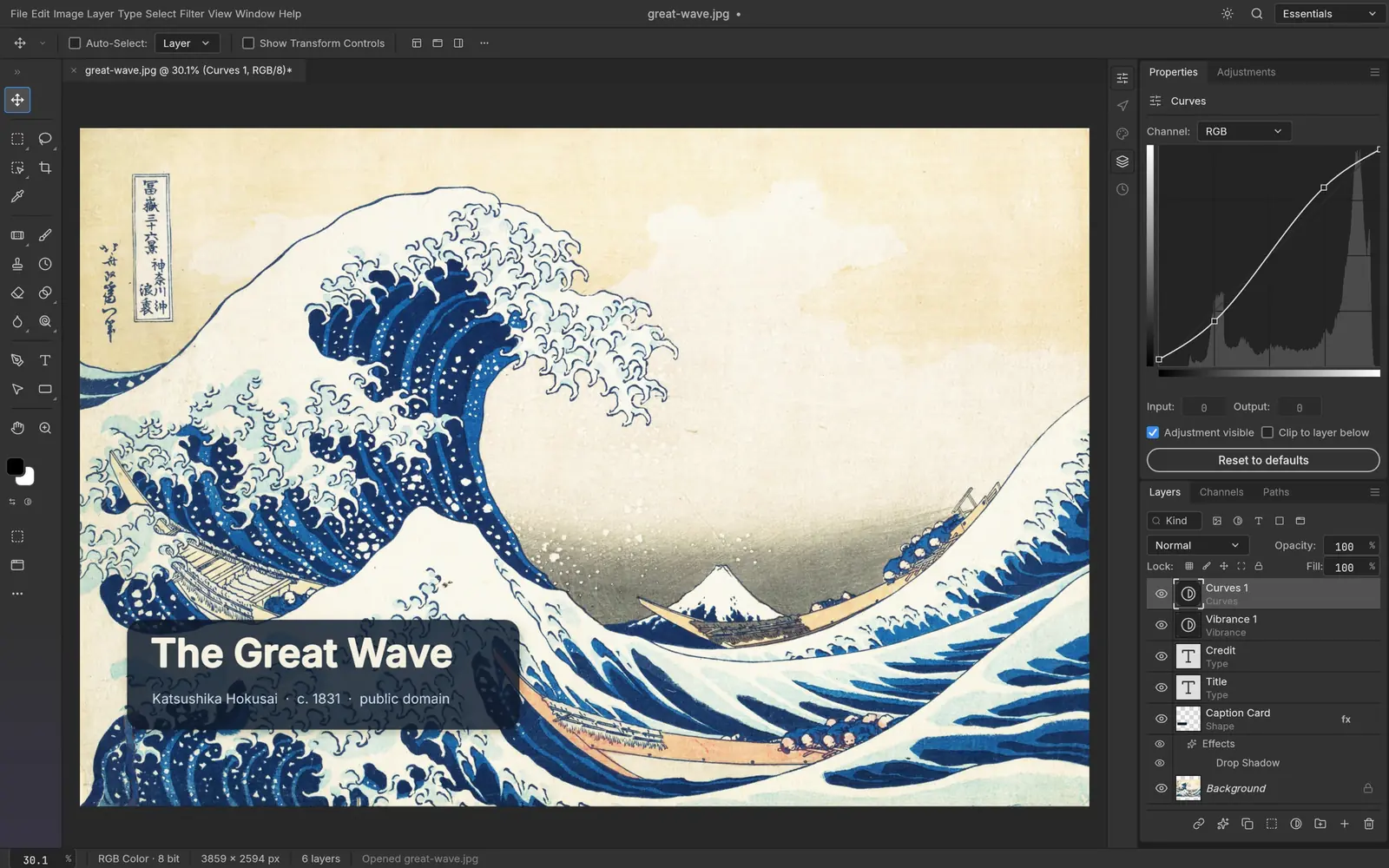
The project’s own “honest parity assessment” of October 5, 2026: about 60–70% of what a typical Photoshop user touches exists in some form, but “real Photoshop parity is still well below 50%” (roadmap).
How to install PhotoCraft on Linux
Commands for PhotoCraft 0.5.0, the latest release when this page was built. Download only from the official GitHub releases of storytold/photocraft or the PhotoCraft page on getartcraft.com. File names change with each version.
Ubuntu, Debian, Linux Mint, Pop!_OS
Download photocraft-0.5.0-linux-x86_64.deb (or the aarch64 one on ARM) from the latest release, then in your Downloads folder:
sudo apt install ./photocraft-0.5.0-linux-x86_64.debFedora, RHEL, openSUSE
Download photocraft-0.5.0-linux-x86_64.rpm, then:
sudo dnf install ./photocraft-0.5.0-linux-x86_64.rpmOn openSUSE: sudo zypper install ./photocraft-0.5.0-linux-x86_64.rpm
Any distro: AppImage
No install needed. Download, make it executable and run it:
wget https://github.com/storytold/photocraft/releases/download/v0.5.0/photocraft-0.5.0-linux-x86_64.AppImagechmod +x photocraft-0.5.0-linux-x86_64.AppImage && ./photocraft-0.5.0-linux-x86_64.AppImageFlatpak bundle
Needs Flatpak with Flathub set up for the runtime. Then:
flatpak install --user photocraft-0.5.0-linux-x86_64.flatpakflatpak run ai.storyteller.photocraftCheck the download
Every release lists a checksum for each file in SHA256SUMS.txt. Download it next to your file and run:
sha256sum -c SHA256SUMS.txt --ignore-missingIt should print OK for the file you downloaded.
These are the standard commands for each package type, with file names taken from the project’s release workflow. We have not run them on every distro. Newer releases replace older ones when installed the same way; the AppImage can also update itself with AppImageUpdate.
PhotoCraft screenshots: what it looks like
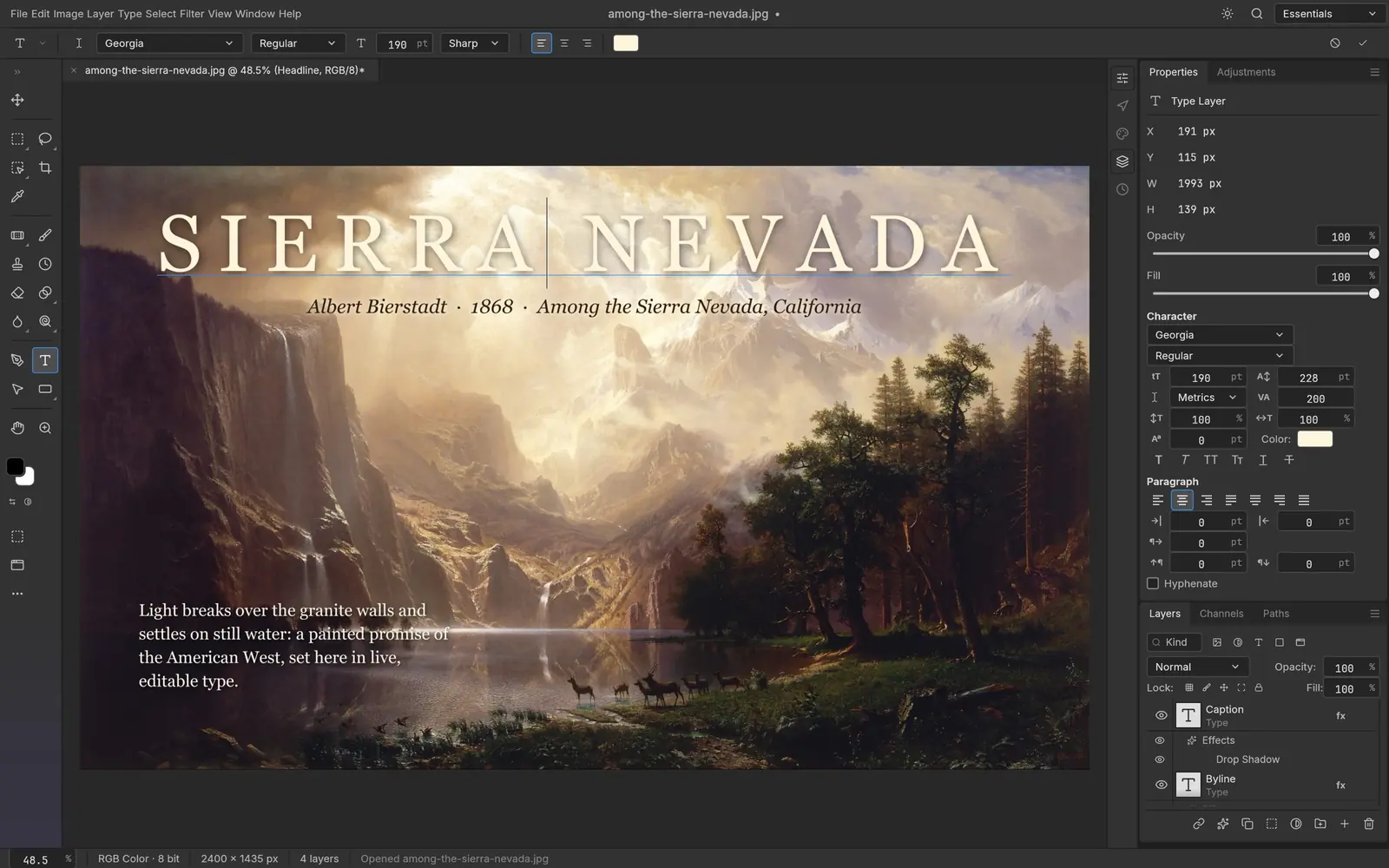
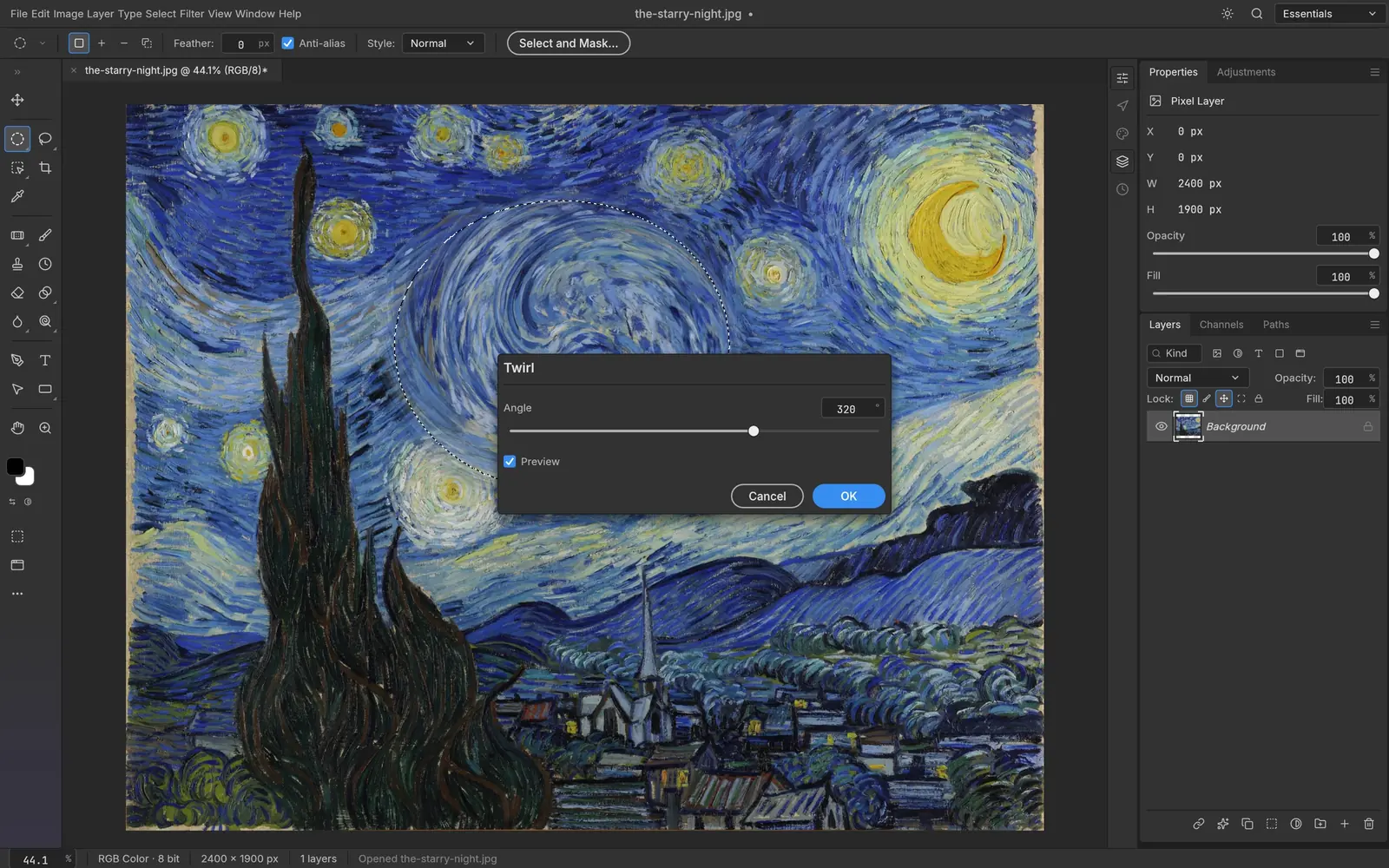
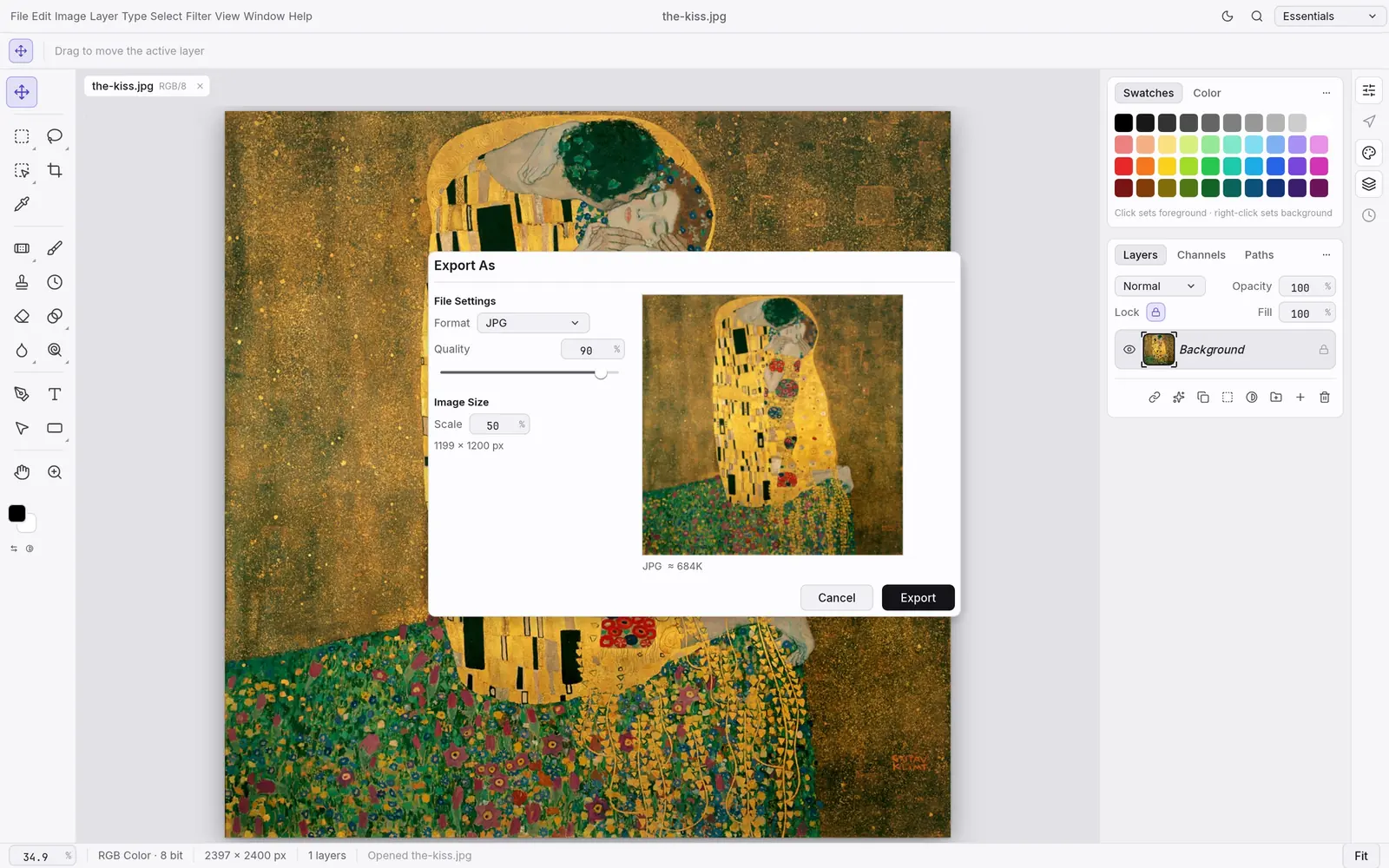
Official screenshots from the PhotoCraft repository, made by the app itself on public-domain artwork and footage. Select one to open it full size.
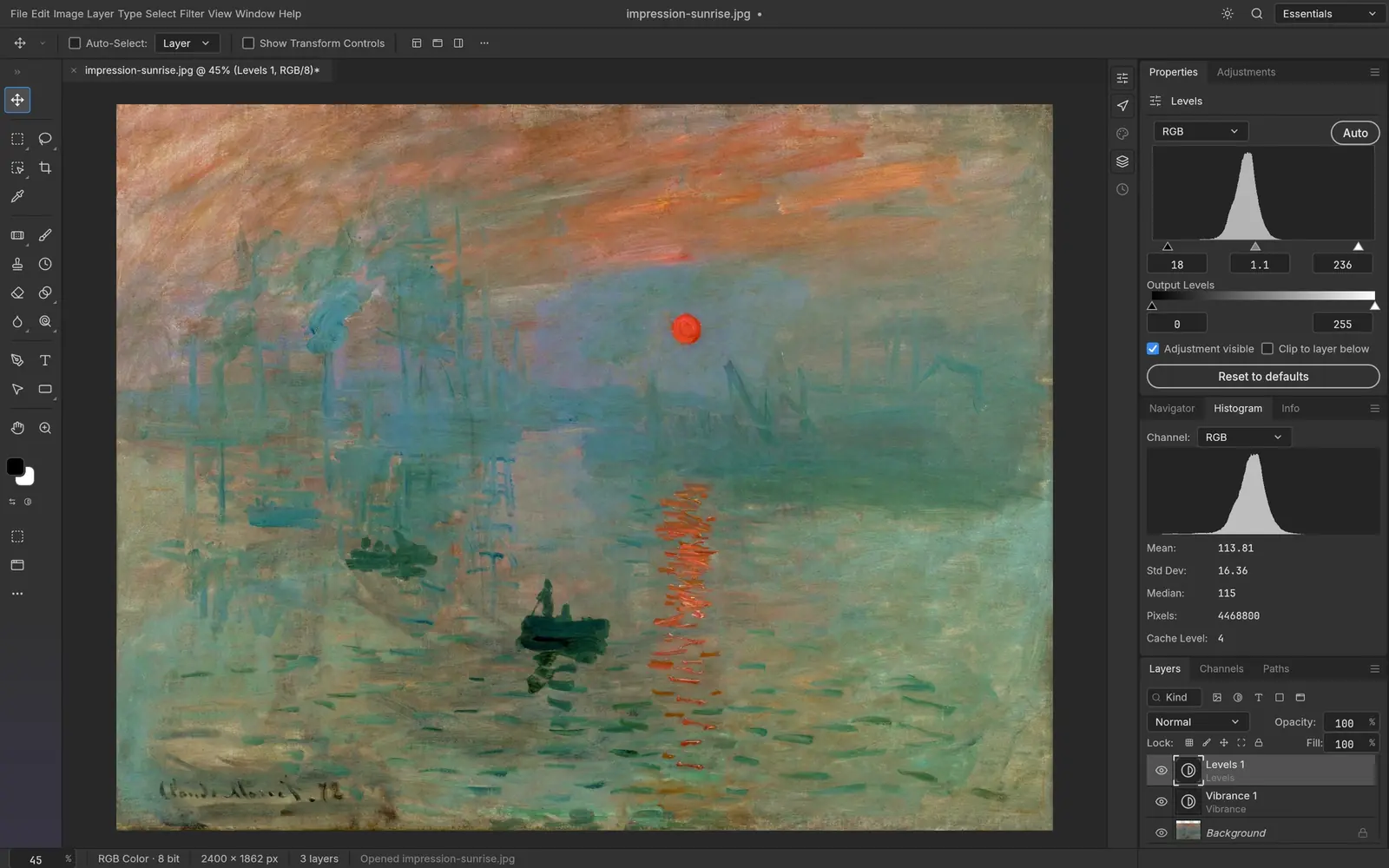
Non-destructive adjustment layers
Sixteen adjustment layers, including Curves with per-channel editing, Levels, Black & White, Channel Mixer, Gradient Map and Color Lookup (.cube, .3dl, .look). They can be masked, reordered and switched off without touching the original pixels.
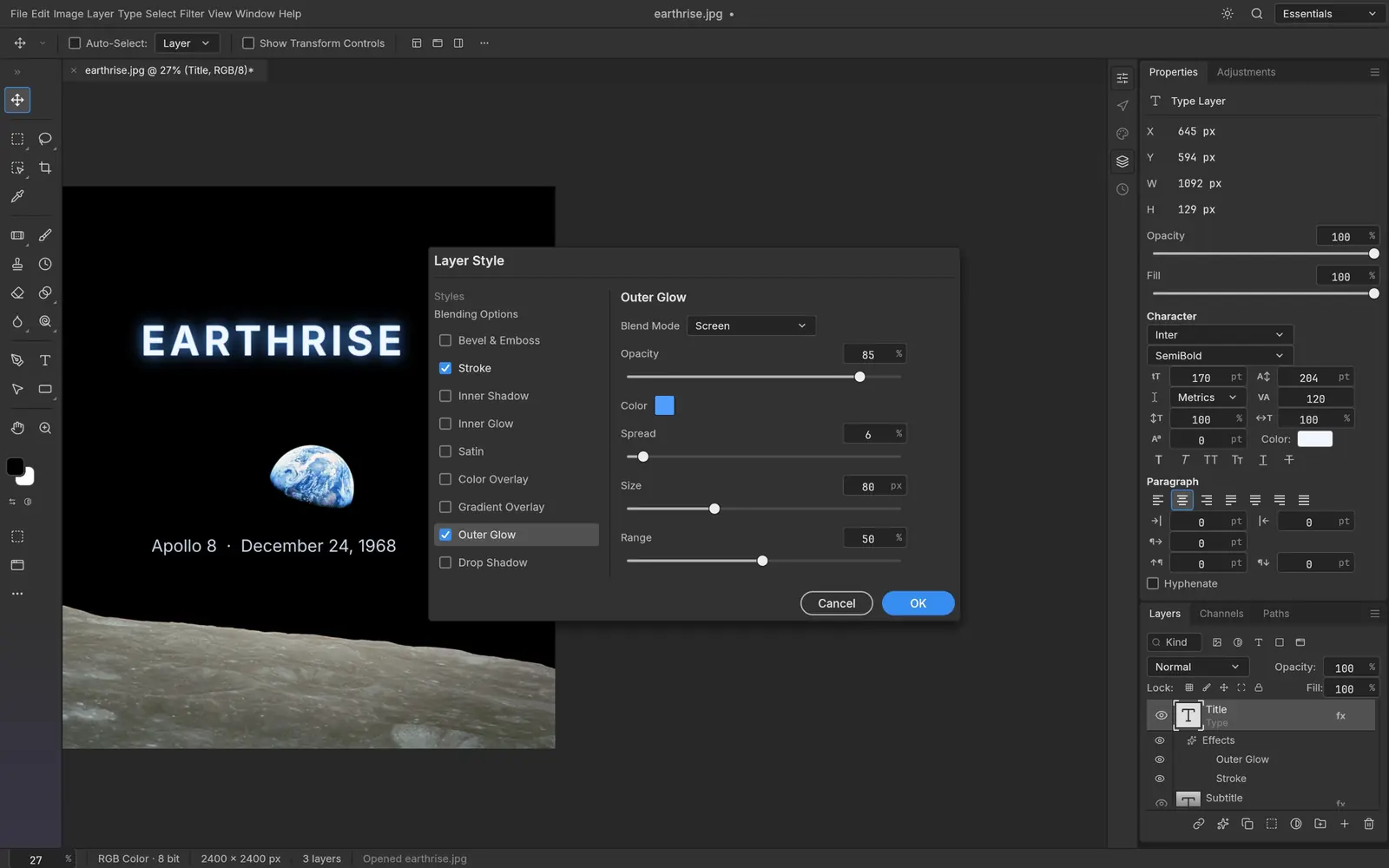
Photoshop-style layer styles
Drop Shadow, Inner and Outer Glow, Bevel & Emboss, Satin, Stroke and Color, Gradient and Pattern Overlay, live on any layer and read from PSD files. Patterns import from .pat.
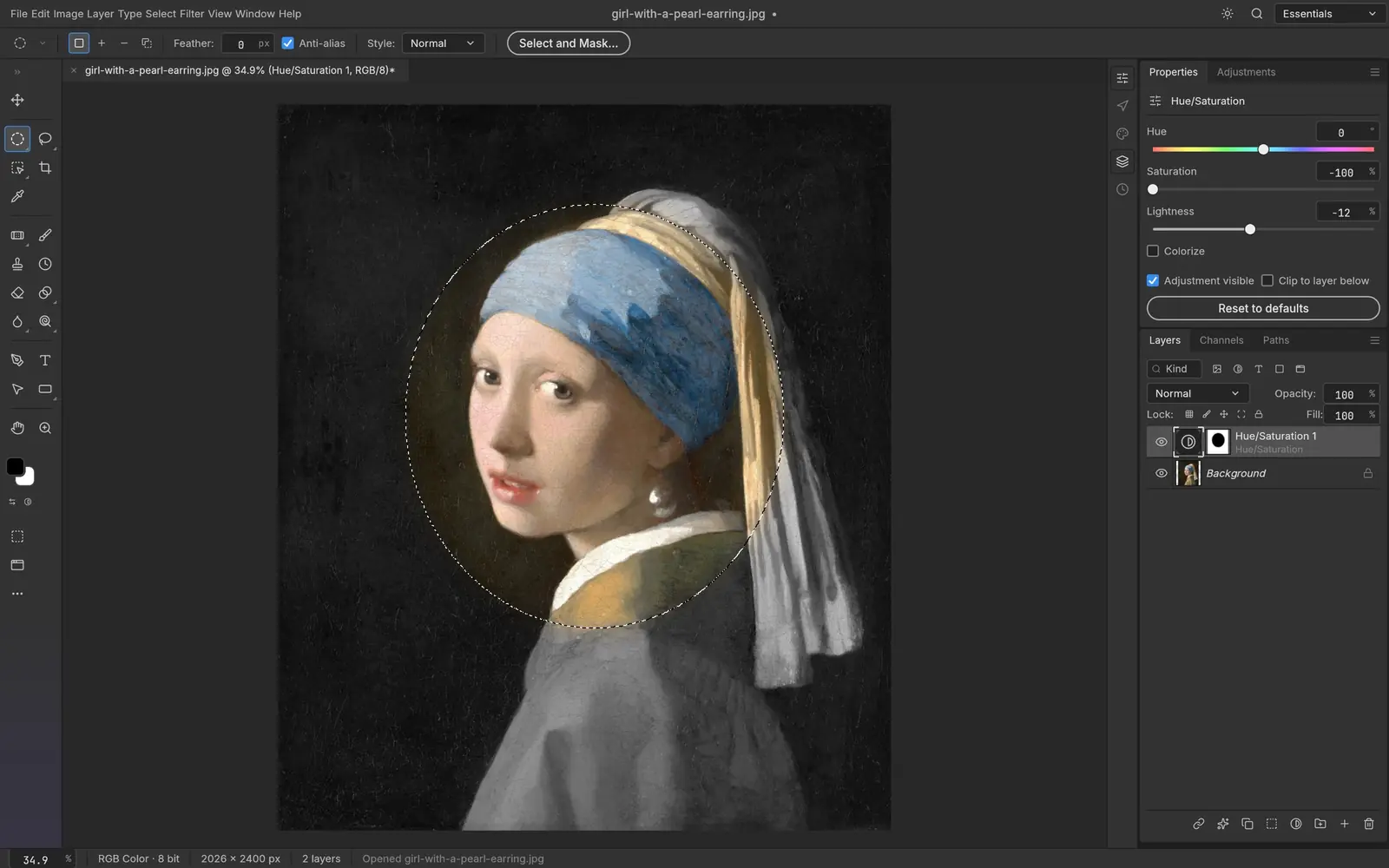
Selections and masks
Marquees, lassos, Magic Wand, Quick Selection, Object Selection, Select Subject and Select and Mask. The project says smart selection runs locally, with no cloud and no account; it uses classical algorithms, not AI models.
PhotoCraft Linux support at a glance
Checked on Oct 8, 2026 against PhotoCraft 0.5.0: its release workflow, Linux packaging, documentation and roadmap.
| Linux system or feature | Status | Details |
|---|---|---|
| Ubuntu, Debian, Linux Mint, Pop!_OS | Yes: Official .deb | For x86_64 and ARM64, built on Ubuntu 22.04 by the project’s release workflow, so it needs glibc 2.35 or newer: Ubuntu 22.04+, Debian 12+, Linux Mint 21+. |
| Fedora, RHEL, openSUSE | Yes: Official .rpm | For x86_64 and ARM64. The workflow names Fedora 36+ and RHEL 10 as the oldest it targets; openSUSE is listed in the README’s download table. |
| Arch, Manjaro, CachyOS and any other distro | Yes: AppImage or tarball | The AppImage runs without installing and can update itself through AppImageUpdate (each release ships .zsync files). A plain .tar.gz is there too. No official Arch package. |
| Flatpak | Partly: Bundle, not on Flathub | Each release has a downloadable .flatpak bundle (ai.storyteller.photocraft) that pulls the org.freedesktop.Platform//26.08 runtime from Flathub. The app itself is not listed on Flathub, so it will not appear in GNOME Software or Discover searches yet. |
| Bazzite, Fedora Silverblue, SteamOS | Yes: AppImage or Flatpak | Both work on immutable systems without layering packages. This is our reading of the formats, not something we tested. |
| ARM64 Linux | Yes: aarch64 builds | Every Linux format also comes as an aarch64 build, built on GitHub’s Ubuntu 22.04 ARM runners. Not verified by us on a Raspberry Pi or Asahi Linux. |
What works in PhotoCraft, and what is missing
Works today, per the project
- Layers, groups, clipping and vector masks, smart objects with smart filters, 27 blend modes
- Opening, editing and saving layered PSD and PSB files
- 34 tools and a real brush engine with pressure, tilt and brush presets (.abr import)
- 8, 16 and 32 bits per channel in RGB, CMYK, Grayscale and Lab, with ICC colour management and soft proofing
- Actions, a command palette, and scripting through photocraft-cli and MCP
Missing or unfinished
- AI and generative features (no Generative Fill)
- About twenty Photoshop tools, among them Patch, Content-Aware Move, Red Eye and Perspective Crop
PhotoCraft release history
PhotoCraft was first released on Oct 1, 2026 and has shipped a new version every day or two since. This chart updates when we refresh our release data.
Show the release dates as a table
| App | Releases, newest first |
|---|---|
| PhotoCraft | 0.5.0 (Oct 8, 2026) · 0.3.0 (Oct 7, 2026) · 0.2.0 (Oct 5, 2026) · 0.1.1 (Oct 3, 2026) · 0.1.1-rc.5 (Oct 2, 2026) · 0.1.1-rc.4 (Oct 2, 2026) · 0.1.0 (Oct 2, 2026) |
Latest PhotoCraft news
No news posts yet. We post here when a PhotoCraft release changes what Linux users get.
PhotoCraft vs the best Photoshop alternatives on Linux
| App | Best for | Maturity | License | On Linux |
|---|---|---|---|---|
| PhotoCraft | Photoshop users who want the same menus and shortcuts | Early alpha, first released October 1, 2026 | Free, MIT or Apache-2.0 | AppImage, Flatpak bundle, .deb, .rpm |
| GIMP 3.2 | Retouching and compositing with a mature, stable tool | Decades of development | Free, GPL | Every distro’s repositories and Flathub |
| Krita | Painting and illustration | Mature, KDE community | Free, GPL | AppImage, Flatpak, distro repositories |
| PhotoSuite | A Photoshop CS6 look with PSD as the native format | New in September 2026, version 0.9 | Free, GPL-3.0 | .deb and .rpm (x86_64) |
Our view: PhotoCraft is the most complete attempt yet at Photoshop’s interface in native Linux code, and it is worth installing to try with your own PSD files. Its own developers say basic things broke on first public use, so keep GIMP or Krita for work with a deadline until it has a few stable releases behind it. This is an editorial judgment from the project’s code, documentation and issue reports, not from hands-on benchmarks.
The apps went viral in early October 2026, which attracts look-alike download sites. Check the checksum against SHA256SUMS.txt from the official release. An App Store app called “AI Art Generator: ArtCraft” is by a different developer and unrelated.
The other Crafting Apps on Linux

PhotoCraft on Linux: common questions
Does PhotoCraft work on Linux?
Yes. PhotoCraft publishes native Linux builds with every release: an AppImage, a Flatpak bundle, .deb and .rpm packages and a tarball, each for x86_64 and ARM64. The binaries need glibc 2.35 or newer (Ubuntu 22.04, Debian 12, Fedora 36 or later).
Is PhotoCraft really free?
Yes. PhotoCraft is open source under the MIT or Apache-2.0 license, with no account, subscription or telemetry. The ArtCraft name and logos are trademarks and are not covered by that license.
Can PhotoCraft open Photoshop PSD files?
Yes. PSD and PSB are supported for reading and writing, including layers, adjustment layers, layer styles, type and smart objects. The project reports that re-saving keeps the render of 307 of 309 files in a public PSD test set; test your own files before you rely on it.
Is PhotoCraft as good as Photoshop?
Not yet. The project estimates that a professional could switch for daily work only about 25 to 35 percent of the time, and lists missing AI features, about twenty missing tools and no plug-in support.
Is PhotoCraft made by Adobe?
No. It is an independent open-source project by the ArtCraft team, and says it is not affiliated with or endorsed by Adobe. It is described as a clean-room reimplementation built from public specifications and observed behaviour.
How do I install PhotoCraft on Ubuntu?
Download the .deb for your architecture from the official GitHub releases page (github.com/storytold/photocraft/releases), then run sudo apt install ./ followed by the file name in your Downloads folder.
Is there a PhotoCraft Flatpak?
Yes, as a downloadable bundle on each GitHub release. Install it with flatpak install --user and the file name, then start it with flatpak run ai.storyteller.photocraft. It is not on Flathub yet.
How we researched this page
- What we did. On Oct 8, 2026 we read PhotoCraft’s repository directly: the README, roadmap and honest-assessment documents, Linux packaging, the release workflow (to confirm which Linux files are built and for which glibc) and its Cargo manifest. Release dates come from the project’s git tags.
- What we did not do. We have not run PhotoCraft or benchmarked it, and we did not audit its code. Feature lists and readiness percentages are the developers’ own and are labelled that way.
- How fresh it is. PhotoCraft ships a new version every day or two. The release history refreshes with our data; the text was checked against 0.5.0.
- Independence. distro.watch is independent and has no relationship with ArtCraft, Storyteller or Adobe. This page has no affiliate links. See our editorial standards.
Running PhotoCraft on Linux? Send your distro, desktop (Wayland or X11), graphics card and what worked or broke, or a correction, to contact@distro.watch. Bugs belong in the PhotoCraft issue tracker.
What changed on this page
- Page published, checked against PhotoCraft 0.5.0: Linux packages and status, install commands, screenshots, what works and what is missing, comparison with established Linux apps, and release history.
Sources
- GitHub: storytold/photocraft README
- PhotoCraft roadmap and honest parity assessment
- PhotoCraft development notes (GPU fallback, Linux desktop integration)
- PhotoCraft image sources (public-domain artwork)
- GitHub: PhotoCraft releases
- GitHub: PhotoCraft release workflow (Linux builds, glibc 2.35)
- getartcraft.com: PhotoCraft