
PdfCraft on Linux: a free Acrobat alternative for PDFs
Yes, PdfCraft runs natively on Linux, with an AppImage, Flatpak bundle, .deb and .rpm for x86_64 and ARM64, and a community Gentoo package. It is a free, open-source (MIT or Apache-2.0) PDF workbench in the style of Adobe Acrobat: read, search, organize, combine, split, comment on, fill and password-protect PDFs, offline and without an account. It was called PrintCraft until October 7, 2026. Editing the existing text of a PDF is not reliable yet.
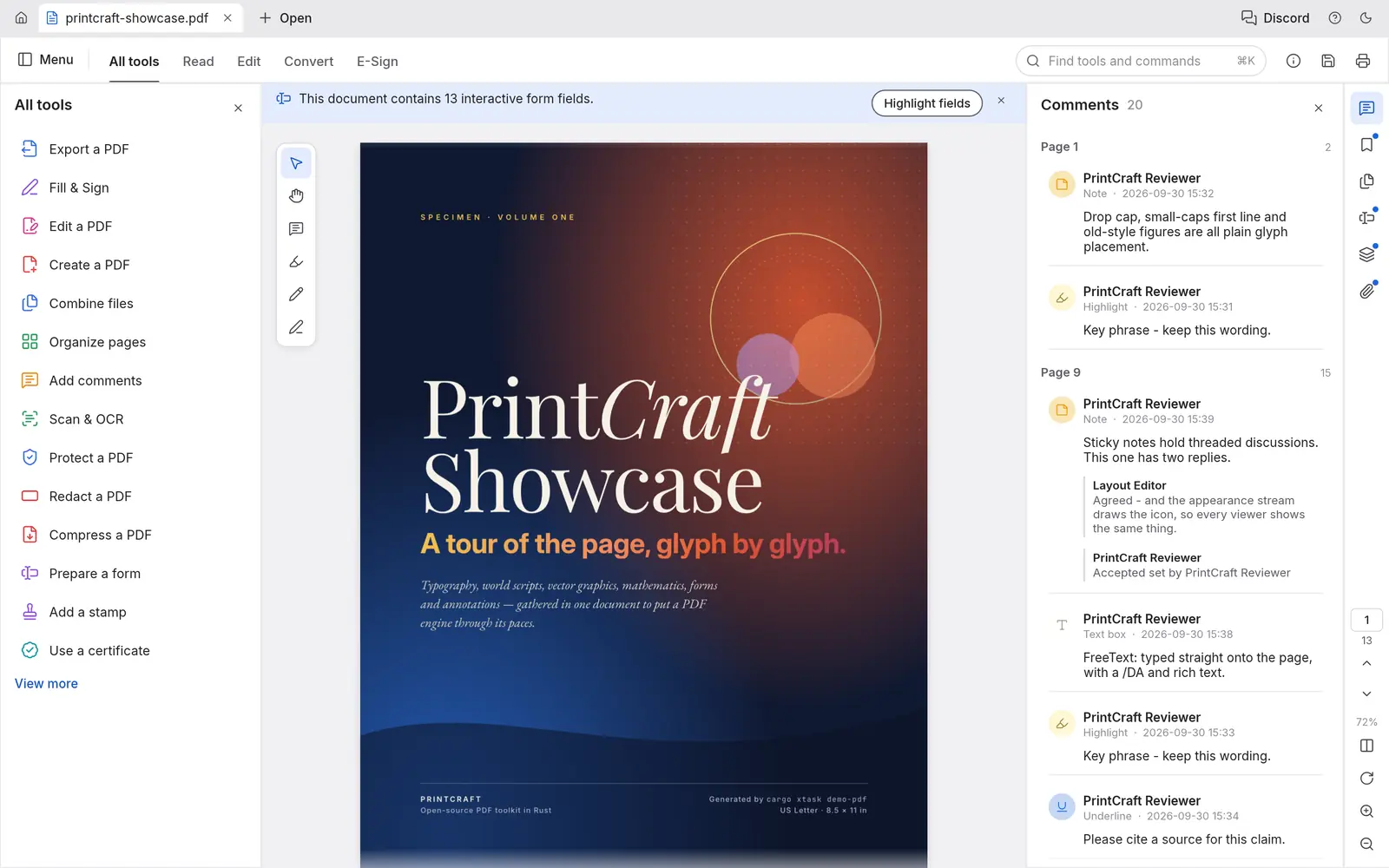
From the project’s October 2026 status: about half of Acrobat Pro’s offline features (88% of the must-haves), but “roughly a third of the work, because the hardest parts are still ahead” (roadmap).
How to install PdfCraft on Linux
Commands for PdfCraft 0.4.0, the latest release when this page was built. Download only from the official GitHub releases of storytold/pdfcraft or the PdfCraft page on getartcraft.com. File names change with each version.
Ubuntu, Debian, Linux Mint, Pop!_OS
Download pdfcraft-0.4.0-linux-x86_64.deb (or the aarch64 one on ARM) from the latest release, then in your Downloads folder:
sudo apt install ./pdfcraft-0.4.0-linux-x86_64.debFedora, RHEL, openSUSE
Download pdfcraft-0.4.0-linux-x86_64.rpm, then:
sudo dnf install ./pdfcraft-0.4.0-linux-x86_64.rpmOn openSUSE: sudo zypper install ./pdfcraft-0.4.0-linux-x86_64.rpm
Any distro: AppImage
No install needed. Download, make it executable and run it:
wget https://github.com/storytold/pdfcraft/releases/download/v0.4.0/pdfcraft-0.4.0-linux-x86_64.AppImagechmod +x pdfcraft-0.4.0-linux-x86_64.AppImage && ./pdfcraft-0.4.0-linux-x86_64.AppImageFlatpak bundle
Needs Flatpak with Flathub set up for the runtime. Then:
flatpak install --user pdfcraft-0.4.0-linux-x86_64.flatpakflatpak run ai.storyteller.pdfcraftCheck the download
Every release lists a checksum for each file in SHA256SUMS.txt. Download it next to your file and run:
sha256sum -c SHA256SUMS.txt --ignore-missingIt should print OK for the file you downloaded.
These are the standard commands for each package type, with file names taken from the project’s release workflow. We have not run them on every distro. Newer releases replace older ones when installed the same way; the AppImage can also update itself with AppImageUpdate.
PdfCraft screenshots: what it looks like
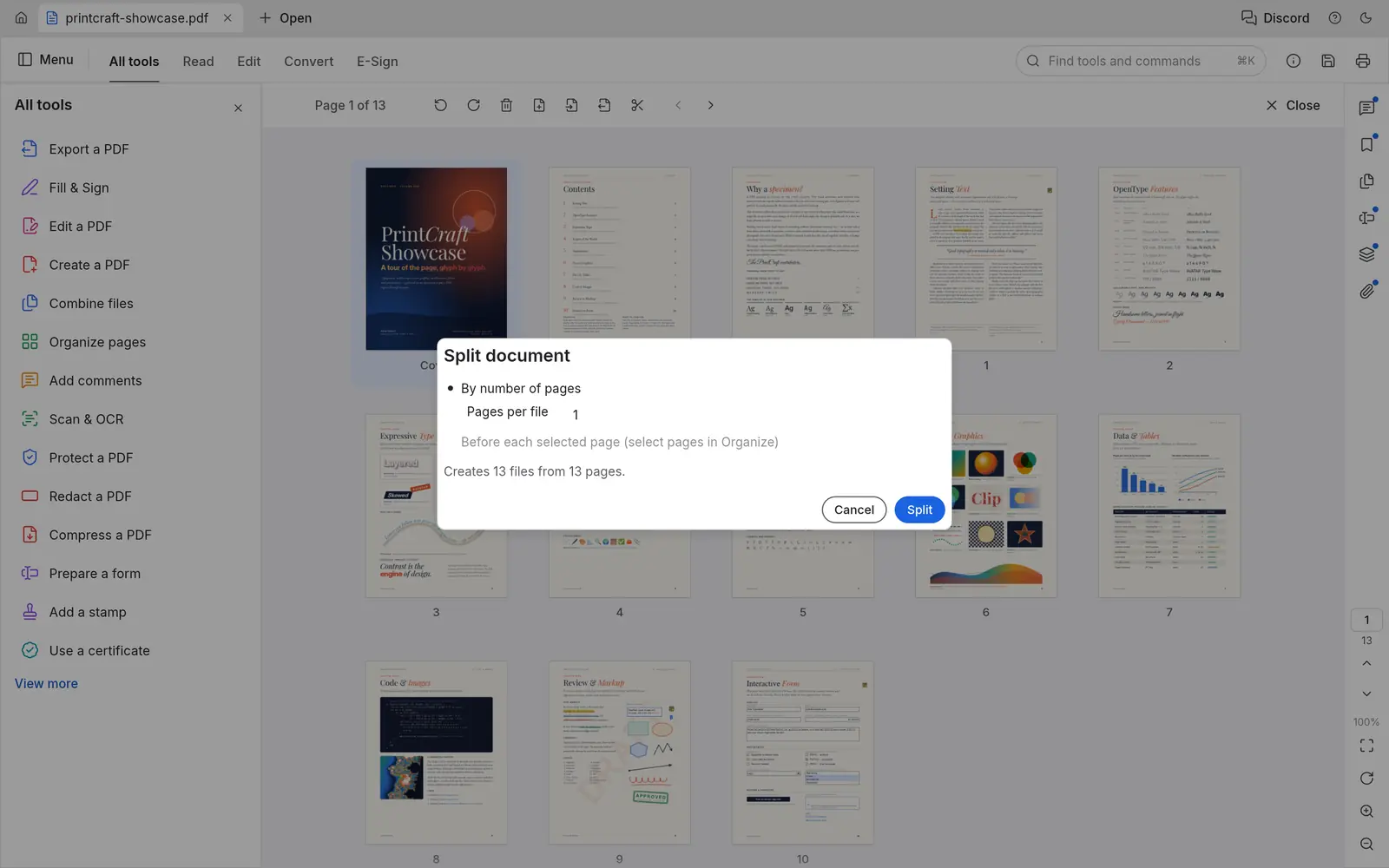
Official screenshots from the PdfCraft repository, made by the app itself on public-domain artwork and footage. Select one to open it full size.
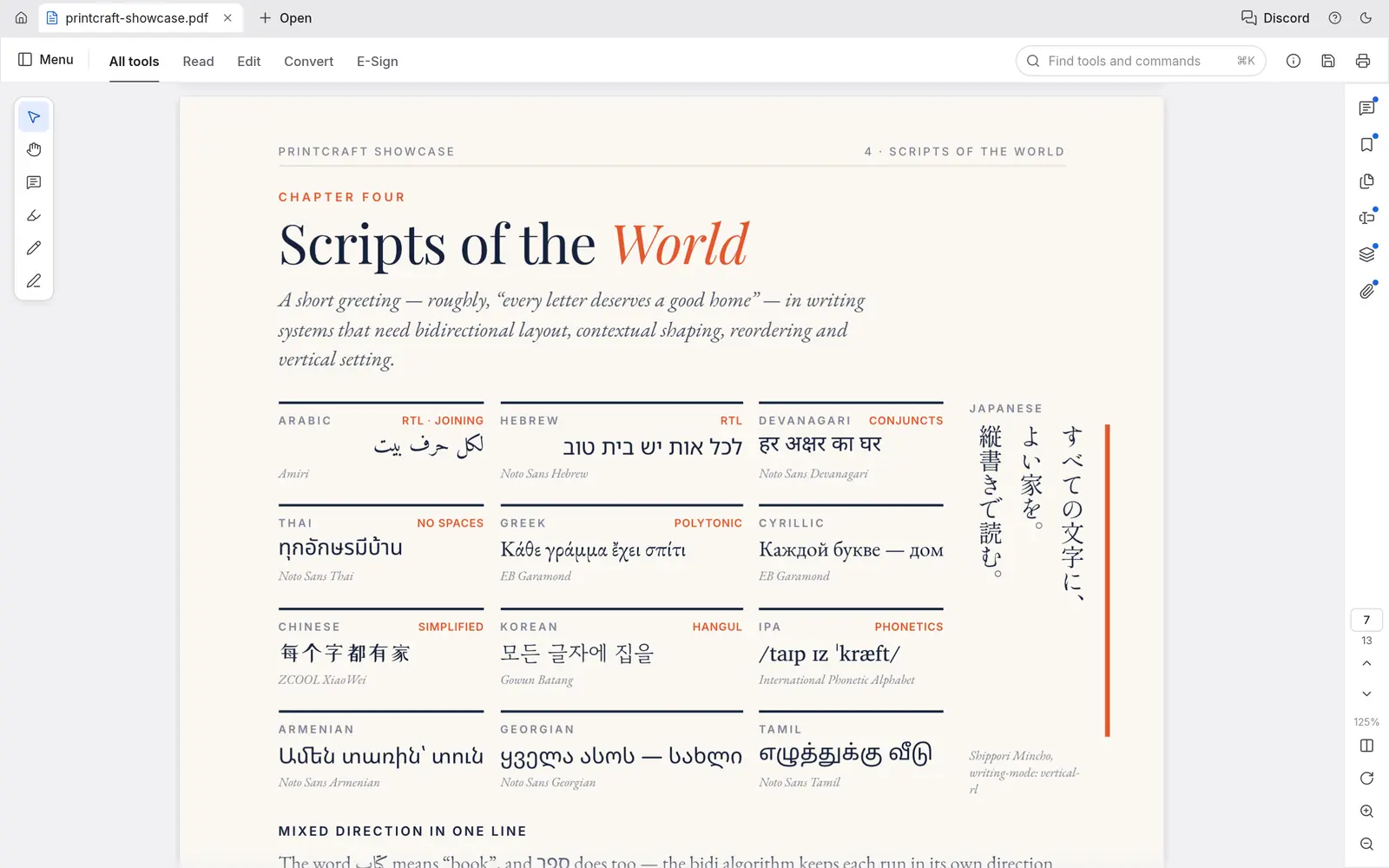
Faithful rendering
Kerning, right-to-left and complex scripts, vertical CJK, colour emoji, soft masks and transparency. The project reports zero crashes across the 983 files of the pdf.js test corpus.
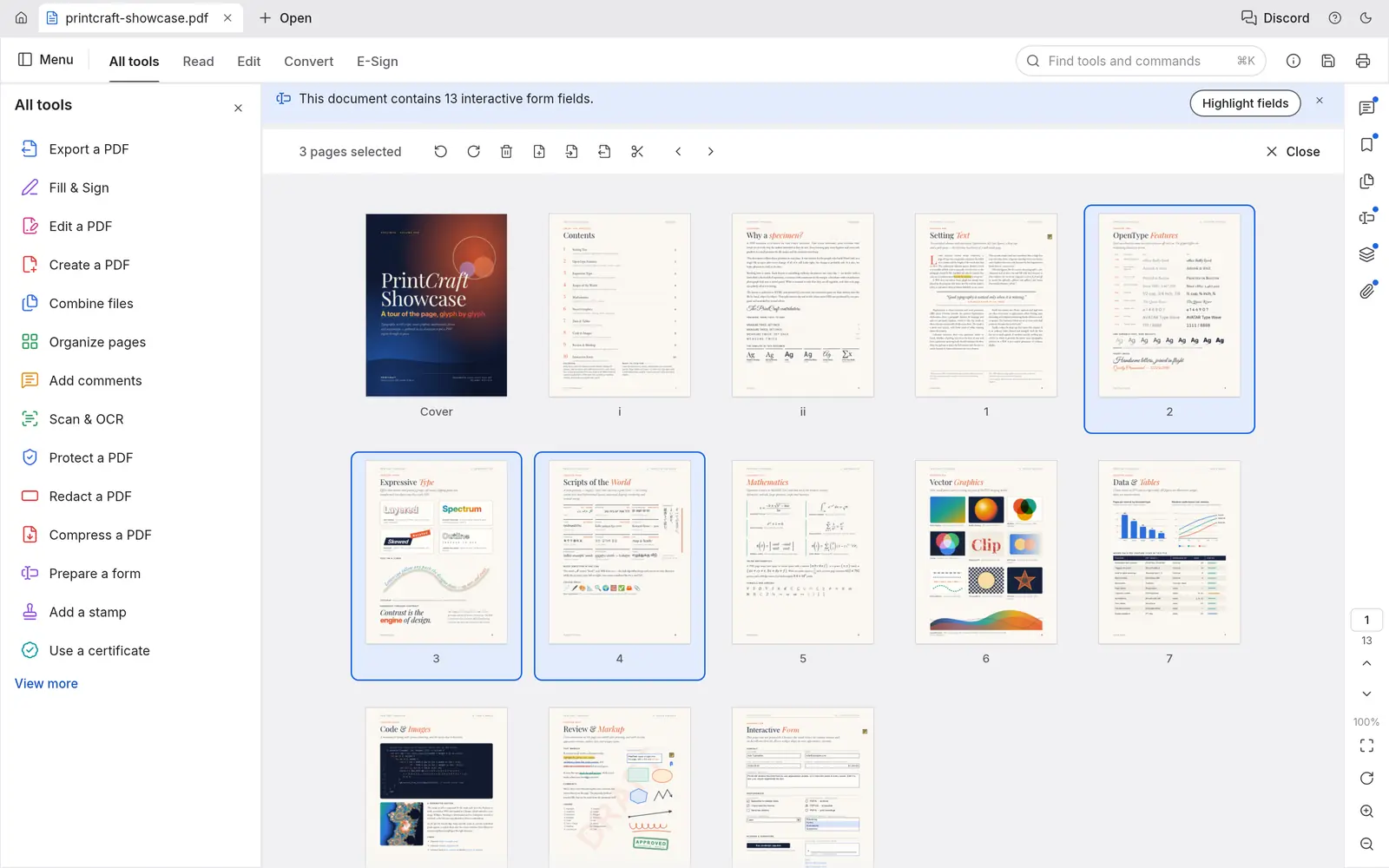
Organize, combine and split
Rotate, delete, insert and reorder pages; combine files with bookmarks kept; extract or split every n pages. Links, form fields, layers and attachments come along.
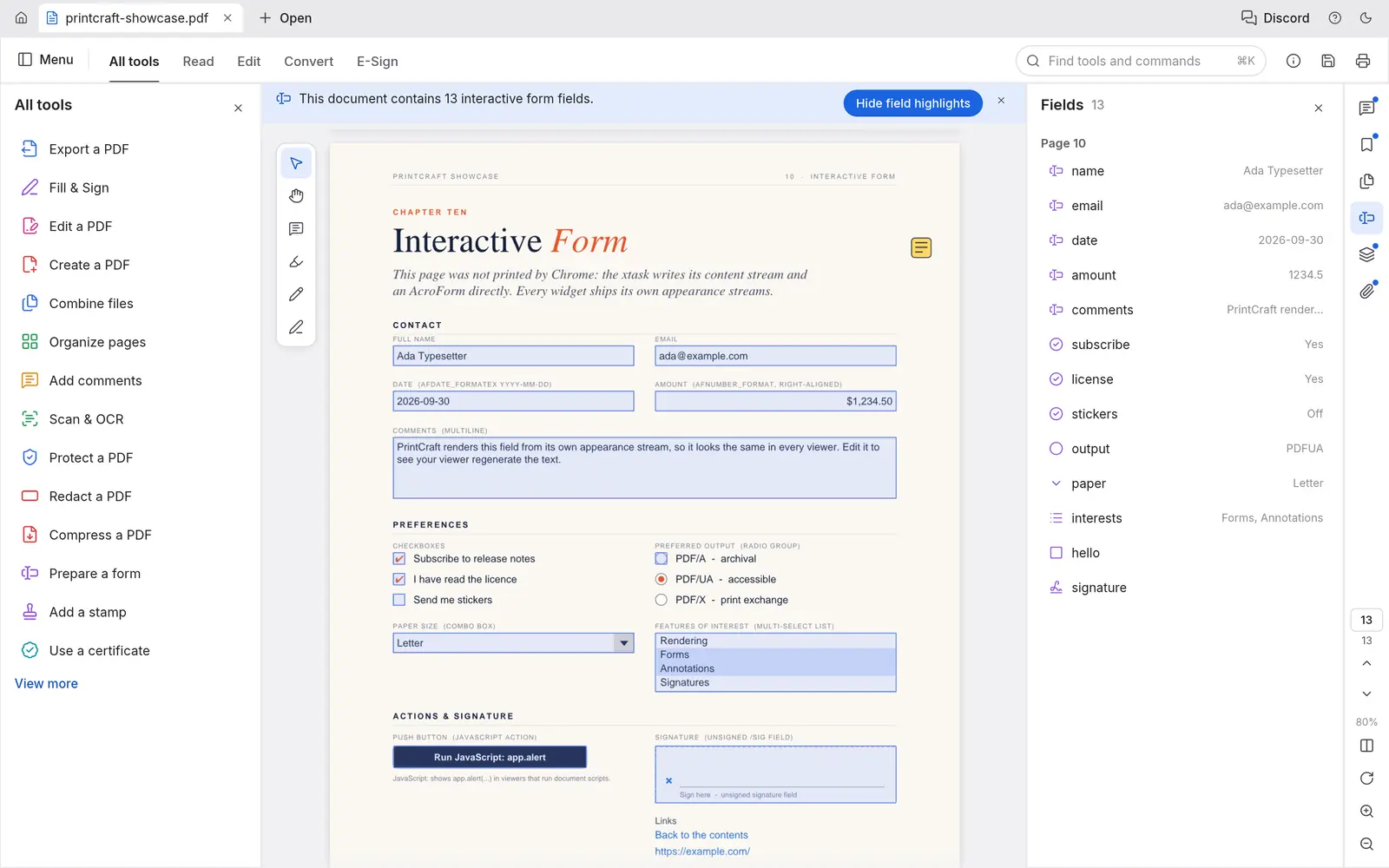
Forms, comments and layers
Fill and author forms, threaded comments, highlights, stamps and ink, optional content layers and attachments.
PdfCraft Linux support at a glance
Checked on Oct 8, 2026 against PdfCraft 0.4.0: its release workflow, Linux packaging, documentation and roadmap.
| Linux system or feature | Status | Details |
|---|---|---|
| Ubuntu, Debian, Linux Mint, Pop!_OS | Yes: Official .deb | For x86_64 and ARM64, built on Ubuntu 22.04 by the project’s release workflow, so it needs glibc 2.35 or newer: Ubuntu 22.04+, Debian 12+, Linux Mint 21+. |
| Fedora, RHEL, openSUSE | Yes: Official .rpm | For x86_64 and ARM64. The workflow names Fedora 36+ and RHEL 10 as the oldest it targets; openSUSE is listed in the README’s download table. |
| Arch, Manjaro, CachyOS and any other distro | Yes: AppImage or tarball | The AppImage runs without installing and can update itself through AppImageUpdate (each release ships .zsync files). A plain .tar.gz is there too. No official Arch package. |
| Flatpak | Partly: Bundle, not on Flathub | Each release has a downloadable .flatpak bundle (ai.storyteller.pdfcraft) that pulls the org.freedesktop.Platform//25.08 runtime from Flathub. The app itself is not listed on Flathub, so it will not appear in GNOME Software or Discover searches yet. |
| Bazzite, Fedora Silverblue, SteamOS | Yes: AppImage or Flatpak | Both work on immutable systems without layering packages. This is our reading of the formats, not something we tested. |
| ARM64 Linux | Yes: aarch64 builds | Every Linux format also comes as an aarch64 build, built on GitHub’s Ubuntu 22.04 ARM runners. Not verified by us on a Raspberry Pi or Asahi Linux. |
| Dropping files on the window (Wayland) |
What works in PdfCraft, and what is missing
Works today, per the project
- Viewing, search and reading-order text selection
- Organize, combine, extract and split pages
- Comments, form filling and authoring (with sandboxed JavaScript)
- Passwords and permissions, redaction and sanitizing
- Basic digital signatures, printing and an Accessibility Checker
Missing or unfinished
- Reliable editing of existing text, especially CJK
- OCR beyond Latin script
PdfCraft release history
PdfCraft was first released on Oct 2, 2026 and has shipped a new version every day or two since. This chart updates when we refresh our release data.
Show the release dates as a table
| App | Releases, newest first |
|---|---|
| PdfCraft | 0.4.0 (Oct 8, 2026) · 0.2.1 (Oct 6, 2026) · 0.2.0 (Oct 5, 2026) · 0.1.1 (Oct 3, 2026) · 0.1.0 (Oct 2, 2026) |
Latest PdfCraft news
No news posts yet. We post here when a PdfCraft release changes what Linux users get.
PdfCraft vs the best Acrobat alternatives on Linux
| App | Best for | Maturity | License | On Linux |
|---|---|---|---|---|
| PdfCraft | An Acrobat-style workbench for organizing, commenting and forms | Young, first released October 2, 2026 | Free, MIT or Apache-2.0 | AppImage, Flatpak bundle, .deb, .rpm, Gentoo overlay |
| Okular | Reading and annotating PDFs on any desktop | Mature, KDE | Free, GPL | Distro repositories and Flathub |
| PDF Arranger | Merging, splitting and reordering pages | Mature, small and focused | Free, GPL | Distro repositories and Flathub |
| LibreOffice Draw | Editing the text and images of simple PDFs | Mature | Free, MPL | Preinstalled on many distros |
Our view: PdfCraft already covers what most people open Acrobat for: reading, organizing, commenting and filling forms. For editing the text of an existing PDF or OCR, keep LibreOffice Draw or a dedicated tool for now. This is an editorial judgment from the project’s code, documentation and issue reports, not from hands-on benchmarks.
The apps went viral in early October 2026, which attracts look-alike download sites. Check the checksum against SHA256SUMS.txt from the official release. An App Store app called “AI Art Generator: ArtCraft” is by a different developer and unrelated.
The other Crafting Apps on Linux



PdfCraft on Linux: common questions
Does PdfCraft work on Linux?
Yes. PdfCraft ships an AppImage, a Flatpak bundle, .deb and .rpm packages and a tarball for x86_64 and ARM64 Linux, and Gentoo users can install app-text/pdfcraft-bin from the community snakebyte overlay.
Is PdfCraft the same as PrintCraft?
Yes. The app was renamed from PrintCraft to PdfCraft on October 7, 2026. Its repository, binaries and app id changed to pdfcraft, and the first launch moves your old PrintCraft settings over.
Can PdfCraft edit text in a PDF?
Not reliably yet. The project lists editing existing text, especially Chinese, Japanese and Korean, as one of its main gaps. Organizing pages, comments, forms and passwords work today.
Is PdfCraft safe to use with private documents?
It works offline with no account, telemetry or cloud processing, according to the project. Its optional MCP server for AI agents is off by default and opens no network port.
Is PdfCraft free?
Yes. It is open source under the MIT or Apache-2.0 license.
How we researched this page
- What we did. On Oct 8, 2026 we read PdfCraft’s repository directly: the README, roadmap and honest-assessment documents, Linux packaging, the release workflow (to confirm which Linux files are built and for which glibc) and its Cargo manifest. Release dates come from the project’s git tags.
- What we did not do. We have not run PdfCraft or benchmarked it, and we did not audit its code. Feature lists and readiness percentages are the developers’ own and are labelled that way.
- How fresh it is. PdfCraft ships a new version every day or two. The release history refreshes with our data; the text was checked against 0.4.0.
- Independence. distro.watch is independent and has no relationship with ArtCraft, Storyteller or Adobe. This page has no affiliate links. See our editorial standards.
Running PdfCraft on Linux? Send your distro, desktop (Wayland or X11), graphics card and what worked or broke, or a correction, to contact@distro.watch. Bugs belong in the PdfCraft issue tracker.
What changed on this page
- Page published, checked against PdfCraft 0.4.0: Linux packages and status, install commands, screenshots, what works and what is missing, comparison with established Linux apps, and release history.
Sources
- GitHub: storytold/pdfcraft README
- PdfCraft ROADMAP (honest assessment, PrintCraft rename)
- snakebyte overlay (Gentoo, community)
- GitHub: PdfCraft releases
- GitHub: PdfCraft release workflow (Linux builds, glibc 2.35)
- getartcraft.com: PdfCraft
distro.watch is independent and not affiliated with ArtCraft or Adobe. Acrobat is a trademark of Adobe Inc.; it is named only to describe the workflow PdfCraft imitates.